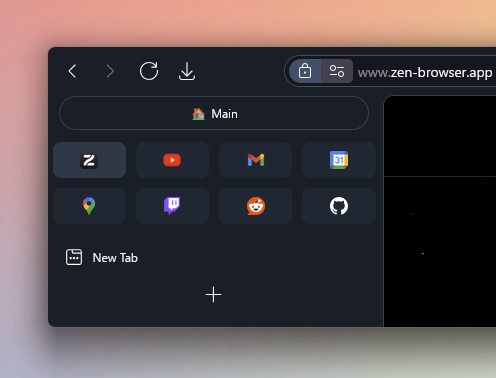
This Zen Mod elevates your experience with pinned tabs and Essentials by making some UI/UX changes.
Features (toggle in Zens Mod settings):
- Increase the width of Essentials/Pins (This can be controlled through a dropdown)
- Controllable Margins between Essentials/Pins (3 Options Dropdown)
- Move Essentials to the bottom (@CosmoCreeper)
- Grid Layout for pinned tabs (Similar to Essentials, icon only)
- Auto-Grow for pinned tabs & Essentials to fit the full width of its row. (@CosmoCreeper)
- Subtle Background for pinned tabs
- Border around pinned tabs and/or Essentials
- Box like corners for Essentials (less rounded corners)
- Make Essentials transparent
- Hide the workspace indicator between Essentials and Pins
- Load pinned tabs only when using them, instead of loading all of them on startup
- Dim unloaded tabs (@CosmoCreeper)
- Customize height of Pinned tabs (Small, Normal, Large) (@gabry-ts)
- Adjust tab favicon size (Small, Normal, Large) (@gabry-ts)
- Change workspace icons size (Extra Small, Small, Medium, Large) (@gabry-ts)
- Control the current workspace indicator icon size (Small, Normal, Large) (@gabry-ts)
Credits
- Huge Thanks to @CosmoCreeper and @gabry-ts for their incredible work!