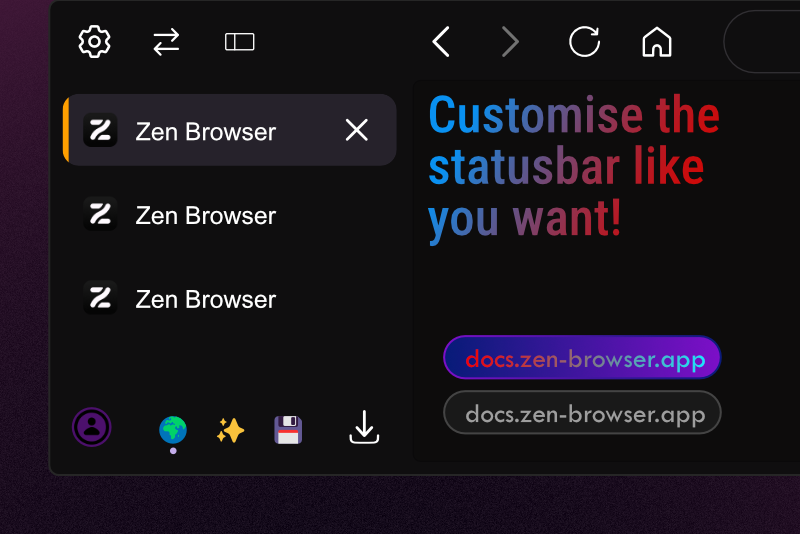
Usage example
- You can customize the margin: "8px"
- You can customize the edgerounding: "100px"
- You can customize the border-thickness "1px"
- You can customize the text, boder and background color: "#0e03ad"
Custom colors
You can use HEX: "#0e03ad"
If you want transparency use rgba: "rgba(138, 8, 203, 0.5)"
You can even use a color gradiant tool like this: "linear-gradient(45deg, rgba(7,27,120,1) 0%, rgba(125,15,200,1) 100%)"
You can also use your theme colors: "var(--zen-colors-border)"
Do not enter >""< just inside >#0e03ad<
Settings (checkbox in Zens Mod settings):
- Set the margin (default "8px")
- Set the edgerounding (default "100px")
- Set the border-thickness (default "1px")
- Set the text-color (default "var(--lwt-text-color)")
- Set the border-color (default "var(--zen-colors-border)")
- Set the background-color (default "var(--zen-colors-tertiary)")